It’s the first week of march and so time for a new image for Robyn’s One-Four Challenge.
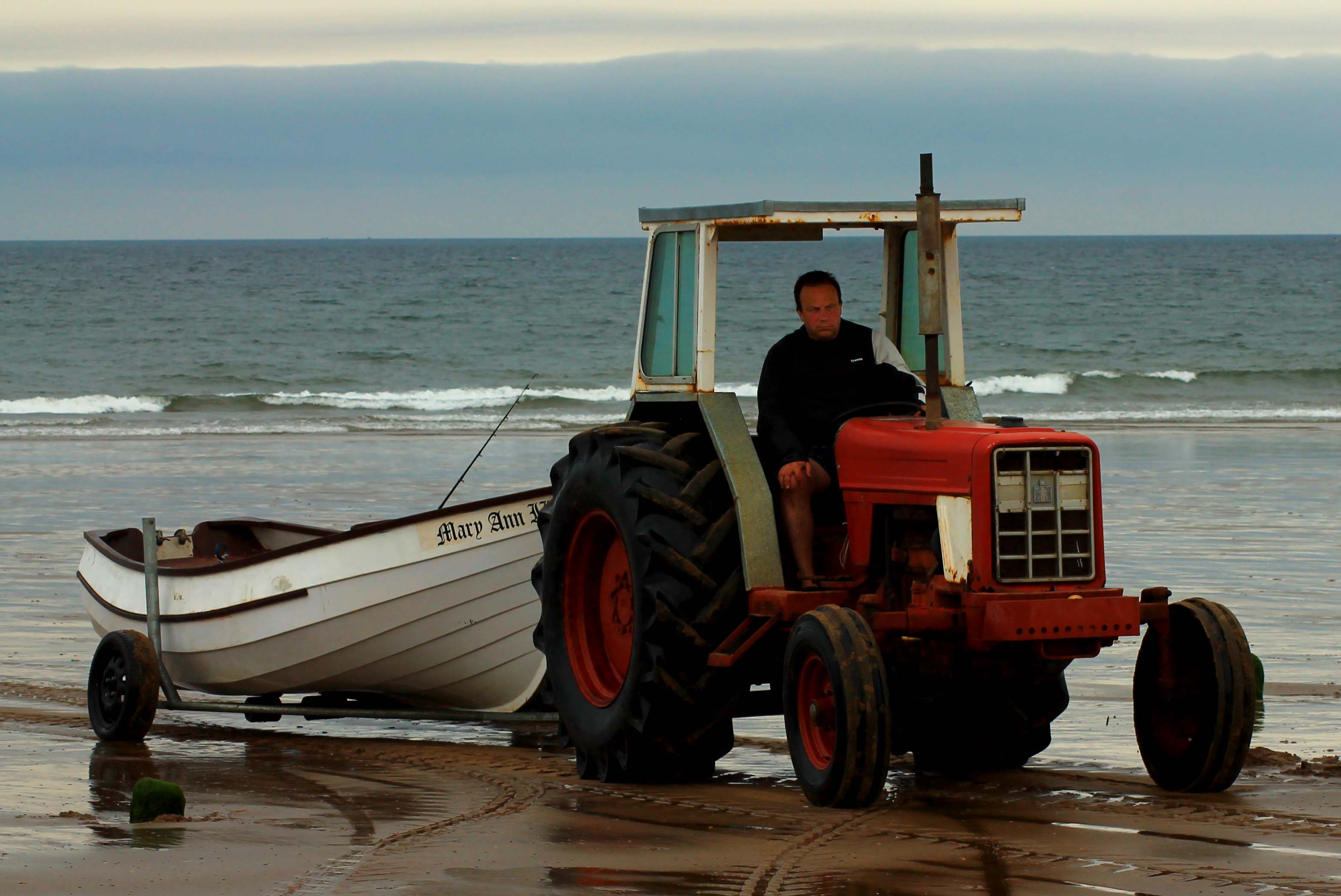
For this first edit I decided to keep it simple. First I cropped it to better showcase the tractor and boat, before brightening it slightly using the levels adjustment. I then increased the saturation and contrast. Finally I selected the driver’s face as it looked rather shadowed after the other adjustments had been made, and brightened it.
Here’s the original image for comparison:


 An Enchanted Place
I like the edit !!
LikeLiked by 1 person
Thank you.:)
LikeLike
That’s much more vivid, but still natural-looking. Nice!
LikeLiked by 1 person
Thanks! I do like to boost the image just that little bit, without making it look unnatural. I’m glad you like it. 🙂
LikeLike
Great job, Louise. I really like the crop and extra tweaking, it looks just as you describe, natural and cleaned up. I watched a number of tractors like this pulling fishing boats out of the water in Homer Alaska, it was quite a scene. Especially with the tide coming in 🙂
LikeLiked by 1 person
I’ve just discovered your message when looking over last week’s post, Carrie – sorry for the delay in responding! Tractors like these do make an interesting sight on the beach, don’t they? Thanks for your lovely comment. I’m very glad you like it. 🙂
LikeLiked by 1 person
Yes, especially because waves move much quicker than tractors! No problem, This new message area from WordPress is cumbersome!
LikeLiked by 1 person
Its a great shot, I like how in the original image the tyre tracks in the sand lead you up to the subject – something to consider for other crops perhaps?
The improvements certainly help, but I can’t help feeling that the tractor needs some more lovin? The tyres and body are dark and losing detail there, and I can see that you have brightened the mans face (and possibly hand on his knee too) because they stand out so much more against his dark body – it might need a bit of delicate tweaking of exposure and shadows in those areas to help?
I think you use LR? If so this is where the radial tool can be used to great effect – feel free to email if you need help 🙂
LikeLike
Thanks for the feedback! I’ll have a look at some of those things for my next edit. 🙂 I didn’t actually touch the man’s hand – it already looked like that. I’ve not got LR, unfortunately, just Photosop Elements 13. If there’s a radial filter available I’ve not spotted it yet. 😀
LikeLike
Bummer I thought you had LR, the radial tool is SO adaptable and ideal for tidying up dark patches like on your image
LikeLiked by 1 person
I might be investing in it before too long. 🙂
LikeLike
Since the upgrade to V5 its got really adaptable – if you are considering it, hold off for a bit because I know V6 is due to be released any day now, and that way you will only have to buy one copy!
LikeLike
Good work on the first edit, Louise! Looking forward to seeing the next interpretations!
LikeLiked by 1 person
Thank you. 🙂 I’m glad you like it.
LikeLike
I really like all that you’ve done so far. It looks great!
LikeLiked by 1 person
Thank you. 🙂
LikeLike