Here’s my third edit for Robyn’s One-Four Challenge.
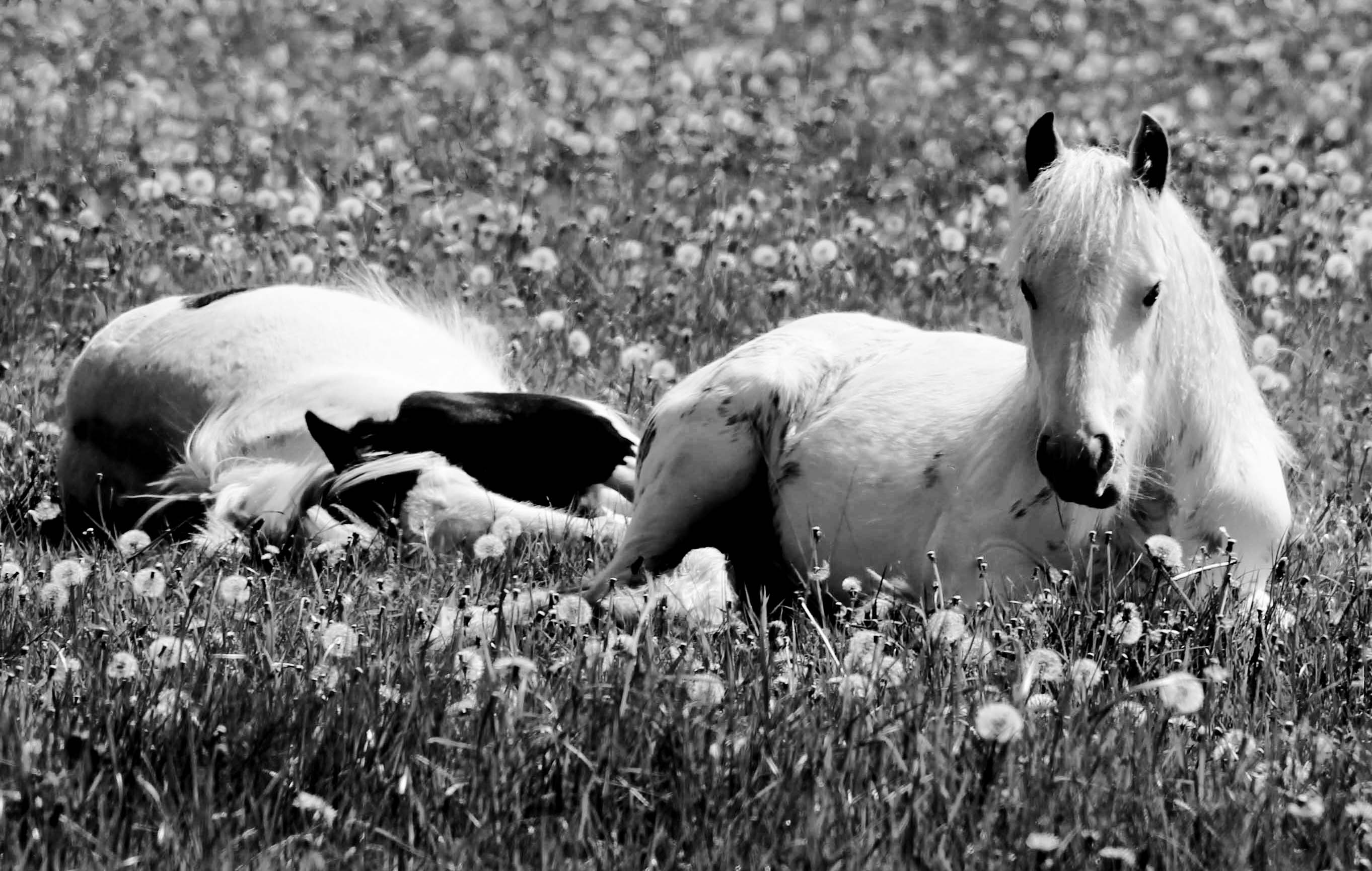
With a wary gaze she watches the world as her companion sleeps in blissful oblivion.
For this week’s edit I had two things I knew I wanted to do. The first was to crop it in some way; the second was make it into a black and white image. All edits were done using Photoshop Elements 13.
I spent quite some time trying out different crops – first I trimmed off the top but I found the image to be too long and thin, next I cropped to the two ponies on the right but the whole balance felt wrong. I finally settled on the crop you now see.
Next I used a gradient filter to transfer the image into black and white. To create the effect I wanted I shifted the midpoint towards the darker end of the slider and moved the black stop to location 22.
I finished off by using the healing brush to remove the tip of the third horses tail, a couple of dandelion seed pods from in front of the white pony and a few dark areas in the top section of the image.
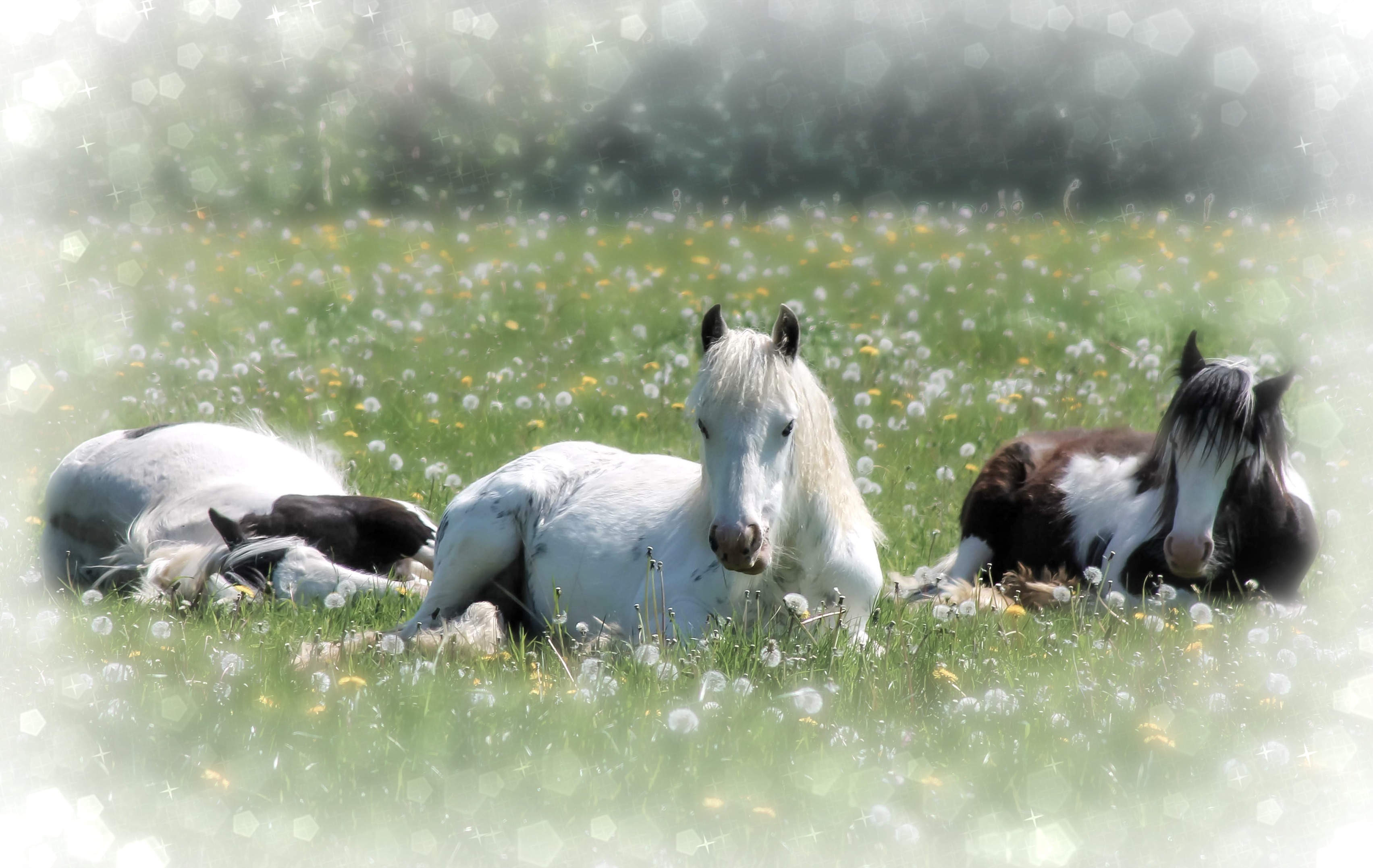
Here’s the original and previous edits for comparison:

If anyone has any suggestions for next week’s edit please let me know. I tried to download Gimp last week but unfortunately my dinosaur of a computer quite clearly said ‘no’ to that, so I’m still limited to Photoshop Elements and any free online photo-editing programs.

 An Enchanted Place
Just popping over here and came straight to this post (next it is the About Page). In term of crops, you could try a vertical crop to include just the central horse and come right to the bottom of the picture, but not to the top. This might help provide a real emphasis on the flower meadow and the horse. Worth a try? MM 🍀
LikeLiked by 1 person
That’s definitely something to think about for next week’s edit – I haven’t got any idea what I’m doing yet so all feedback is helpful! Thanks for visiting. 🙂
LikeLike
I think this week’s edit is my favorite! I’m fairly new to cropping and know that it can be challenging at times :-). You did a marvelous job with cropping and gradient!
LikeLiked by 1 person
Thank you! It was ridiculously tricky deciding where to crop. I’m sure it shouldn’t have been that hard! I’m glad you like it. 🙂
LikeLiked by 1 person
Cropping is hard for me too. I think it will get easier with time 🙂
LikeLiked by 1 person
I love this!! Great photo and crop!!
LikeLiked by 1 person
Thank you. 🙂
LikeLike
Great crop and I love the B&W! There is a softness about the image that is really appealing.
LikeLiked by 1 person
Thank you. 🙂
LikeLike
I love the crop, it has a more intimate feel with just those two cuties. And it works so well in b&w, a beautiful edit.
LikeLiked by 1 person
Great crop, Louise! And yes, cropping is hard, well at least it feels hard to me. I always have to like the crop more than the original and in this case, it really works!
It brings forward the flowers and makes you feel like you are looking into the eyes of the horse, which is such a fun feeling as a viewer. I love your mono choices too. Great edit!
If you want to go a little wild this week you could try FotoSketcher…it is free and so easy to use, it kind of feels like cheating 🙂 But, the results are so fun to play with. It is free and very simple to figure out. Good luck for this week.
LikeLike
Thank you, Carrie! I am wanting to go a little wild with the final edit. 🙂 I’ll try out FotoSketcher but my computer really isn’t happy with me downloading any new programs at the moment. It tends to freeze and refuse to do anything at all!
LikeLike
😦 sorry to hear that. That is always so frustrating! Hope you figure out the problem so you can get creative!
LikeLiked by 1 person
Louise, great job on the crop, I like this version a lot. I also like the BW treatment, is it a reverse gradient coming up from the front?
The only niggle, and its more a me thing, is that the whites on those two big areas on the ponies back and the side of the one lying down are still a little too bright and losing detail. I know your PC issues are limiting the software options you have and also know NOTHING about Elements, but if there is something you can use to select those areas and adjust down a little that might help :).
Also some tips to help with your PC:
First – uninstall any old programs you are not using any more, you will be surprised at how many there probably are – be careful as some of the names can not always be obvious, and some of them will be necessary system files, so check them before you randomly delete everything, but look at all the programs that come up under your start button and have a really honest look at what you do use and do need 🙂
Second – do a defrag on your hard drive – be warned it will take ages, but that will help with performance
Third – depending on how much memory it has, putting some more in might be worth a consideration and memory is CHEAP – you need 4GB to really run Windows and some form of editing software on a 32 bit OS which is what I assume you have
Fourth – clean out things like your Recycle bin, it can hold heaps of stuff and clog up your hard drive space too
Fifth – things like movies and music files take up LOTS of space, movies most of all, so if you have some and want to keep them, maybe consider moving off to an external hard drive, also very cheap these days.
Good luck and look forward to next week 🙂
LikeLiked by 1 person
I’ve only just realised that I didn’t reply to your comment last week – sorry. I think I must have dreamt my writing a reply! I was just coming over to find out who it was that suggested I reduce the brightness on the ponies back as that’s an issue I’m currently trying to fix for this week’s edit.
I’ve tried most of the computer cleanups over the past few months. The only things I haven’t yet removed are my music files – admittedly, there are a lot of them! I need a new external hard drive before I can do so. Thank you for a very helpful comment. 🙂
LikeLike
No problem, one of the things its useful to check is how much hard drive space you have left on your C: drive (go into explorer, and find C: and right mouse click and then click on properties, it will give you a pie graph)
You need to have your HD no more thant 75% full ever – thats because when you load up windows it loads up stuff that takes up some of the extra space. If your HD is more than 75% full then you may have performance issues esp for things like editing photos that can generate large files.
I work in IT, you might be able to tell 🙂
LikeLiked by 1 person
Thank you! I’ll check that out. My brother works in IT as well but he never has time to actually help out!
LikeLike
I just love these photos. My favorite is week 2. It looks so “dreamy.”
LikeLiked by 1 person
Thank you, PJ! I should have my week 4 edit up on Wednesday. I’ll try to head over to see your’s later on. 🙂
LikeLiked by 1 person
Mine didn’t turn out too well. 😦
LikeLike